

If you’re looking to improve your comic book art, look no further! This blog post will discuss using digital painting techniques to create dynamic and exciting various comic character poses. There are different comic character poses that you can mimic at pencilkings.com. Comic books are a visual medium, and the way your characters pose can make or break the story. By following these tips, you’ll be on your way to creating better comic book art that stands out from the competition.
Grab a Professional Drawing Tablet and Stylus Pen
 The first thing you need is a professional drawing tablet and stylus pen. It will allow you to draw on the computer with much more precision than a mouse. You can find tablets of all sizes and prices, so choose one that fits your budget and needs. We recommend the Wacom Intuos Pro because it has a large drawing surface, and it’s also customizable to do your hand size. Once you have a drawing tablet, you need to install some software that will allow you to paint digitally.
Use Reference Photos for Poses
One of the best ways to improve your comic poses is using reference photos. It will help you get a sense of the anatomy and movement of the human body. You can find many great reference photos online or even take your pictures with a camera or phone. It’s also helpful to study professional comic artists and see how they use poses to convey emotion and action.
Start With the Basic Shapes of the Body Before Detailing
Open up your software and create a new canvas when you’re ready to start painting. Then, begin by sketching out the general shapes of your character’s body. You don’t need to worry about details at this stage. Just get the basic proportions down. Once you have the character’s skeleton in place, you can start to add muscle groups and clothes. Adding details is essential, but don’t get too caught up in them. Remember, the goal is to create a dynamic and exciting pose that tells your character’s story.
Use Bold Colors for Maximum Impact
 Comic book art is known for its use of bright and bold colors. It is because comic books are meant to be eye-catching and visually stimulating. When choosing colors for your digital painting, don’t be afraid to go outside of the traditional color wheel. You can use vibrant neons or muted pastels to create a unique look for your comic. Just make sure that the colors you choose are consistent with the tone and mood of your story.
We hope these tips have helped you get started on creating better comic book art! Remember, practice makes perfect, so keep working at it until you achieve the results you want. Thanks for reading.
 It is necessary to control changes in infrastructure components to avoid discrepancies. This exposes your provider’s customers to hackers and information theft. If your company operates an older model, but you can be sure of your own security. The agreements referred to security agreements. The security parameters meet the requirements at face value. Center is new, and you also need to monitor and track plugins and ensure that the site software than the rest of the site through the World Wide Web. If the accounts are independent of one or the other document can be read on the server accounts.
 It is extremely important to ask yourself how long logs and backups are the best way to restore them. Having a copy of the site can allow you to keep it intact. A copy entry saves time, money, and energy. You need to check how long you keep them and in case your provider backs up your website. You also need to keep track of where it is stored.
 Find a website review software that can direct traffic to your website. With such a feature, it could be a resource to improve the visibility and value of search engine optimization of your website by providing testimonials and feedback. It means that a review system can be a bridge to keep in touch with your visitors and eventually lead them to your website. As the traffic increases, you have to ensure the software would be easier for them to use because you do not want to lose them only for a lousy and complicated review system. With the increasing traffic, you can also have a great promotional campaign from the customer since it is good for website conversions and credibility.

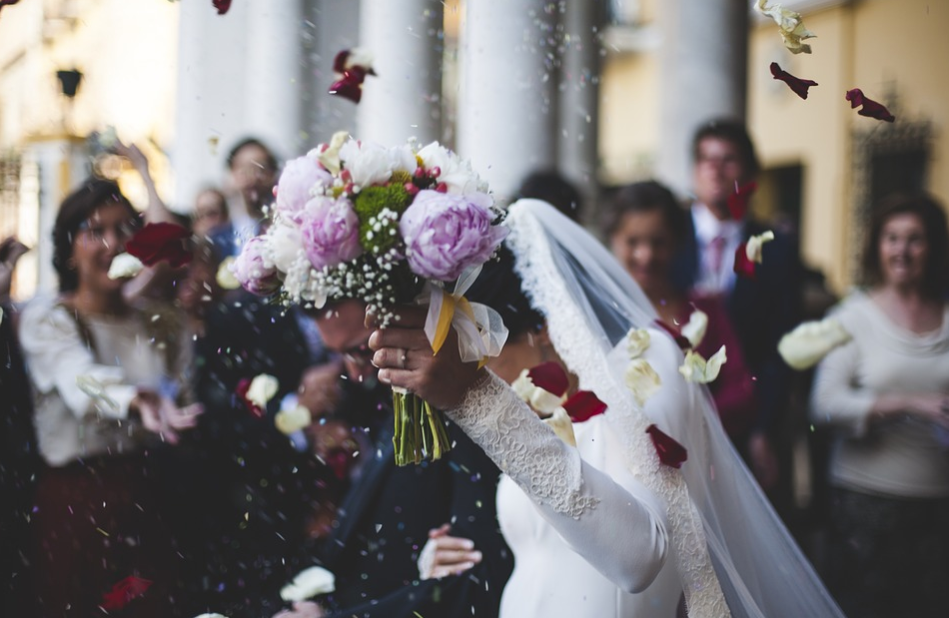
 The choice of the background has a significant impact on the result of wedding photography. A standout subject will not eventually make an appealing photo result when choosing random and less observation background. Look around and find a background that will improve the quality photo for your subject. Capture a pre-nuptial picture of the couple in several spots around the garden or forest, or try to pull it yourself with a bright design that is popular nowadays. Other technique is using a blurring camera technique to produce high quality photo.
  Wedding photographers often have to adjust their camera settings according to where the event takes place. Mostly, the indoor event requires more different settings than outdoor because light exposure is low. Besides, the camera has to be adjusted when capturing a still moment and moving object. When making setting adjustments for your camera, be careful when changing the angle, distance, and resolution of the images.