

Things to Consider When Choosing a VPN Service

Things to Consider When Choosing a VPN Service post thumbnail image

No doubt that technology has developed fast and sophisticated, but that does not mean it is safe. Scamming and fraud are increasing nowadays, and hackers can anytime slip in our devices and take confidential data, making it unsafe to do transactions online. Data security attack has caused a considerable loss, both financial and mental. The only solution to prevent such things from happening is to conduct operations and surfings through a Virtual Private Network, or known better in its abbreviation VPN.

VPNs can ensure the security of your internet tracking and data through a personal IP. This way, no one can get the idea of your destination and history, too. Whatever you do, either download and upload, you are assured since your personal computer or phone system is saved from cybercriminals. You can also stream Netflix from different countries on your device. If you choose a nice connected network, you will never see the “Netflix Proxy Error” message on your screen. 

VPN indeed has many valuable benefits, but you need to be careful to choose a VPN service. Take a look at some checklist to consider when choosing a VPN provider below.
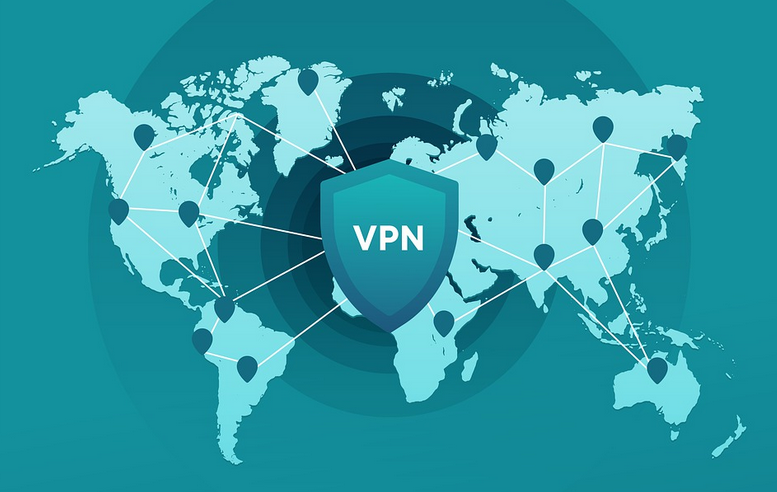
VPN Geographical Distribution

Geographical Distribution

Geographical distribution is an essential consideration when choosing a VPN service provider. It can determine which country servers you want to access. You do want a VPN that can access many servers, so if some sites are not allowed in your destination, your VPN servers can scatter throughout many geographical territories.

Internet Logging

VPN secure dataThe vital purpose of a VPN will be to put security to your confidential data and history. If they are found to keep track of your account, you need to get away soon from the provider. It would be best to go with a VPN that does not keep track of your history.


Customer Service

Customer service is a checklist that can show the reliability of any VPN provider. Problems can appear during the process of creating a network, and you indeed need help assistance. It would be best if you requested the VPN provider to complete the process. Ensure that you choose a provider that has its service available 24/7 through telephone service, chat, email support, etc.

Rate and Speed

The last would be rate and speed elements. Do your diligence research to observe the rate and speed offered by the VPN provider. Compare and weigh your information on each program, if the network gives a free trial or money-back warranty. This way, you can decide better whether the VPN services are worth your money. Read comments and reviews to discover others’ experiences about the company service’s speed and the rates for choosing this option.

Leave a Reply

Your email address will not be published. Required fields are marked *

Related Post

Gamer

Best Game Emulators for Your Phone and WindowsBest Game Emulators for Your Phone and Windows

With Windows application emulators, you can test Android applications. Maybe you’ve already experimented. But the applications offer the adventure of simulation. Emulators operate game developers or allow. Hence, you can also use Delta Emulator that allows you to play your game from your phone. Here you can find an overview of some of these Android emulators.

BlueStacks

Game

BlueStacks is one of the best emulators. Newer races and older applications. You can check this one too. Select the application player in your apk and save it to test it. With the improvements, after a few applications, applications and games can work while playing in 3D, but also frame prices are slow. Application participants have the option to frame the program name and have a search option where the application should be installed. The program participant allows you to optimize and manage. You can change the program (tablet, large standard, or phone), uninstall applications, or place them on an on-screen keyboard. There is also the decision to synchronize the phone with the PC or to synchronize the tablet computer. I can find my applications using a menu. There is also a sidebar that gives tips. BlueStacks can be in beta mode and is free, but can evolve into a program. Most applications and the latest version can also run with BlueStacks.

Andyroid

Any application on your Windows PC will run when you get a computer. Andyroid manufacturers have developed a program that will run your Android tablet or PC. Download the application and play with your games. Downloading and installing Andyroid’s settings will take some time. Andyroid is software and requires at least 3GB of RAM and 20GB of hard disk space. Your PC must have it. Make sure you have activated the BIOS. Delete the program files from Andyroid folder in case you want to reinstall this emulator.

AMIDuOS

Gaming

Even if the aMIDuOS is paid emulator , you can still use it. The application is easy to configure and does not require much time. The minimum requirements for the PC are: Dual-core CPU with 2 GB RAM, hardware virtualization in BIOS and OpenGL 3.0 The application supports 3D acceleration so that users can manage almost all Android games. All applications and games work. The aspect of this application is that it works with this emulator. A variety of settings will help you customize your game and take advantage of the application experience. It offers options such as SD card and keyboard support. In future versions, the emulator will take care of the settlements and skins. The emulator can do twice as much as a sandbox. It is easy to review your applications without having a device. You can import .apk files. Since custom preferences are activated with Jar of Beans, you can customize the options you want and even create an SD card. The developer has launched “Jar of Beans appears.” Do not keep us informed if you have information about this player in the program.

laptop

How to Optimize YouTube VideosHow to Optimize YouTube Videos

Success on YouTube depends on more than just creating great content; it also relies on how well videos are optimized to reach the right audience. From keyword-rich titles and descriptions to engaging thumbnails and consistent posting, optimization strategies can significantly influence visibility. Some creators even look into growth options such as fast delivery YouTube subscribers to give their content an initial boost and improve social proof. When paired with strong organic strategies, these approaches can help videos rank higher, attract more views, and keep audiences engaged. Optimizing effectively ensures creators get the most out of every upload in 2025’s competitive space.

Crafting Strong Titles and Thumbnails

typing

Titles and thumbnails are the first things people notice, and they often decide whether someone clicks or scrolls past. A good title balances clarity with intrigue, giving viewers a reason to watch while matching what they are searching for. Pair it with a visually striking thumbnail that represents the video honestly, and the chances of clicks increase significantly. Creators who invest a little time in experimenting with different thumbnail styles often find what best resonates with their audience.

Using Descriptions and Tags Effectively

The description box is valuable real estate, yet many creators overlook it. A strong description should summarize the video while naturally including keywords that people might search for. It is also a place to encourage engagement by pointing viewers to playlists or reminding them to subscribe. Tags, while less influential than before, still help with categorization and can give videos a slight visibility boost. Together, descriptions and tags provide structure that makes it easier for YouTube to recommend the content.

Enhancing Engagement With Captions and Playlists

Accessibility matters, and captions serve both practical and optimization purposes. They make videos understandable for wider audiences while giving search engines more text to analyze. Playlists are another smart tool, as they organize videos into logical groups and keep viewers watching longer. By guiding people from one video to the next, playlists increase watch time, which is a key factor in how YouTube promotes content. These features may seem small individually, but together they build stronger audience connections.

Analyzing Performance for Continuous Growth

analytics

Optimization does not stop once a video is uploaded. YouTube Analytics provides valuable insights into how content is performing. Watch time, retention rates, and traffic sources reveal what works and what needs improvement. By reviewing these metrics, creators can refine future videos and avoid repeating mistakes. The smartest approach is treating each upload as a learning opportunity, using data to guide creative decisions. Consistent analysis transforms optimization from a one-time effort into an ongoing habit.

Optimizing YouTube videos is about making content easy to find, enjoyable to watch, and worth sharing. Strong titles and thumbnails capture attention, descriptions and tags provide context, captions and playlists improve accessibility, and analytics drive smarter future decisions. Each step contributes to building a stronger channel that attracts new viewers and keeps existing ones engaged. By combining creativity with thoughtful optimization, creators can grow their presence without relying on luck. Success on YouTube is less about chance and more about preparation.

youtube icon

Increase YouTube Views With Automation: The Smart Creator’s GuideIncrease YouTube Views With Automation: The Smart Creator’s Guide

Growing a YouTube channel is no easy task. Between planning, filming, editing, and promoting, there’s barely enough time to keep up—let alone scale. That’s why more and more creators are turning to automation to lighten the load and boost their results. Whether you’re just starting or trying to take your channel to the next level, smart automation can help you get more views without burning out.

Stay Consistent With Scheduled Uploads

YouTube rewards consistency. Channels that post regularly tend to get more attention from the algorithm and their audience. Automation tools like YouTube’s built-in scheduler, or third-party platforms like TubeBuddy, allow you to upload in bulk and set future release dates. Check out this guide on increasing your YouTube video views; it covers how scheduled uploads can keep your channel active and audience engaged—even when you’re not online.

Automate Social Sharing for Maximum Exposure

One of the best ways to get more eyes on your content is by sharing it across platforms. But logging into multiple social media accounts every time you upload is time-consuming. Automation tools like Zapier, Buffer, or Hootsuite let you instantly share new videos to X, Facebook, Instagram, or LinkedIn the moment they go live. This helps you reach a wider audience with zero extra effort.

Use AI Tools for Smarter SEO

ai

Getting discovered on YouTube means using the right keywords, titles, and tags. AI-powered platforms like VidIQ and TubeBuddy analyze what people are searching for and help you optimize your videos accordingly. With automation, you can generate better-performing titles and metadata in seconds—so your videos show up in more search results and suggested video feeds.

Simplify Comment Moderation and Replies

Engaging with your viewers is key to building a loyal audience, but keeping up with comments can be overwhelming. Tools like YouTube Studio offer basic comment filters, but services like TubeBuddy take it further with automated responses, alerts for specific keywords, and spam detection. That means you can stay connected with your community without having to reply to every single comment manually.

Batch Create Thumbnails for Brand Consistency

thumbnails

Thumbnails are the first thing viewers see—and they often determine whether someone clicks or scrolls past. Design platforms like Canva and Snappa allow you to create reusable thumbnail templates and even automate the text and visuals based on your video data. This saves you hours of design work and keeps your channel looking sharp and professional.

Track Channel Growth With Automated Analytics

Knowing what’s working (and what’s not) is crucial to growing your channel. Instead of digging through endless data manually, use automated dashboards like those from Google Data Studio or SocialBlade. These tools collect and organize your performance metrics, sending you regular updates and visual reports so you can make smarter content decisions in less time.

Automation isn’t about cutting corners—it’s about working smarter. By automating repetitive tasks like scheduling, promotion, optimization, and engagement, you free up more time to focus on what you do best: creating great content. Whether you’re just getting started or already growing fast, integrating the right tools into your process can help you increase YouTube views and take your channel to the next level—with a lot less stress.