Things to Consider When Choosing a VPN Service

Things to Consider When Choosing a VPN Service post thumbnail image

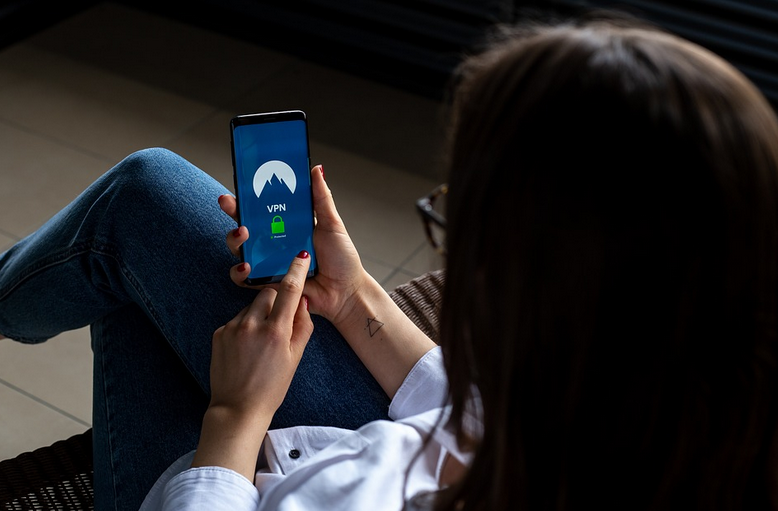
No doubt that technology has developed fast and sophisticated, but that does not mean it is safe. Scamming and fraud are increasing nowadays, and hackers can anytime slip in our devices and take confidential data, making it unsafe to do transactions online. Data security attack has caused a considerable loss, both financial and mental. The only solution to prevent such things from happening is to conduct operations and surfings through a Virtual Private Network, or known better in its abbreviation VPN.

VPNs can ensure the security of your internet tracking and data through a personal IP. This way, no one can get the idea of your destination and history, too. Whatever you do, either download and upload, you are assured since your personal computer or phone system is saved from cybercriminals. You can also stream Netflix from different countries on your device. If you choose a nice connected network, you will never see the “Netflix Proxy Error” message on your screen. 

VPN indeed has many valuable benefits, but you need to be careful to choose a VPN service. Take a look at some checklist to consider when choosing a VPN provider below.
VPN Geographical Distribution

Geographical Distribution

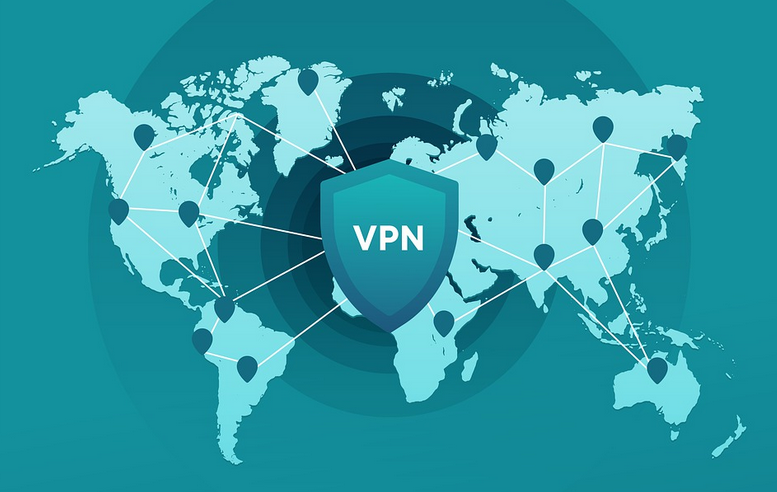
Geographical distribution is an essential consideration when choosing a VPN service provider. It can determine which country servers you want to access. You do want a VPN that can access many servers, so if some sites are not allowed in your destination, your VPN servers can scatter throughout many geographical territories.

Internet Logging
VPN secure dataThe vital purpose of a VPN will be to put security to your confidential data and history. If they are found to keep track of your account, you need to get away soon from the provider. It would be best to go with a VPN that does not keep track of your history.


Customer Service

Customer service is a checklist that can show the reliability of any VPN provider. Problems can appear during the process of creating a network, and you indeed need help assistance. It would be best if you requested the VPN provider to complete the process. Ensure that you choose a provider that has its service available 24/7 through telephone service, chat, email support, etc.

Rate and Speed

The last would be rate and speed elements. Do your diligence research to observe the rate and speed offered by the VPN provider. Compare and weigh your information on each program, if the network gives a free trial or money-back warranty. This way, you can decide better whether the VPN services are worth your money. Read comments and reviews to discover others’ experiences about the company service’s speed and the rates for choosing this option.


Leave a Reply

Your email address will not be published. Required fields are marked *

Related Post

issues

Ways to Fix DLL ErrorsWays to Fix DLL Errors

PCThese errors can occur in almost all operating systems, like Windows 8 and its predecessors. As stated by https://computingforgeeks.com/what-is-dll-file-and-how-to-open/, if you are a Windows user and found an error telling you that a DLL file is missing, it is okay if you don’t know what DLL files. You need to know about DLL files. These problems are annoying, but you can take some measures to solve them. Here are some tips to help you solve these problems.

Restore Documents

Don’t do anything at first and restart your PC—the PC power button to restart it. Occasionally Mostly deleting DLL important files can make an error. If you encountered these can of issues, you must check your personal computer recycle bin to restore the files. It may take a few minutes or an hour to fix these errors because it depends on the file errors. If you link to make a correction, the error you may use the troubleshooting advice.

Scan Antivirus Applications

Sometimes an error message appears due to virus system detection on your computer files. Only the virus displays incorrect messages. One of the steps you can do is to scan your PC. Some error was due to the recent downloads change in the registry or the system; you may do a system restore.

Reinstall Files

You may use the system DLL files. If you want to try to run PC programs, you may try to reinstall the file program, and hopefully, it will solve the issues. Update your method drivers occasionally. If the problems found are “DLL missing,” you should consult the appropriate page to download and update your computer’s drivers.

Download Windows Updates

Your system may ask you to download the latest updates. You will be informed of your system tray. Try the operating system repair and reinstall the operating system. It would be best to repair the operating system with a Windows installation disk. Restoring the program installation can help to fix the problems. In this way, the hard disk partition you want to set the operating system will be rewashed.

Be sure to transfer your files to another division before reinstalling the operating system. If you were looking for a DLL document fixer, we have a recommendation here. There you can solve these problems without any problems. Portable Document Format is a computer program for transferring complete information from one system to another. This digital format allows users to receive voluminous content quickly and easily across multiple platforms. This feature makes the PDF file format compatible and portable on any platform.

android

Technical Aspects to Consider in Choosing Free Apps for SmartphonesTechnical Aspects to Consider in Choosing Free Apps for Smartphones

Applications for iPhones or Android can greatly enhance the quality and capabilities of your feature-rich mobile device. Most apps on your smartphones are available for free, making them more attractive to download, as you can find on TutuApp. However, before you rush to get the app, you may need to learn how to select and use the best apps for your smartphones. The following are essential criteria to find the best free apps for your smartphones.
iPhone

Condition

Almost everyone is attracted to iPhone apps that are determined by the Wow component. They hear about a new app without saying whether they are interested in having the app or seeing a friend, and they are excited about it. This doesn’t necessarily mean that you want to download and use it, as it is free. A certain percentage of most people never use it. Please understand that you will use a suitable program. Use it until you use it as an alternative criterion to determine if an application is really necessary for you and install it.

Usability

Evaluate a program based on its effectiveness. Unlike PC software, transfer programs are used when driving, walking, or jogging. Note that you can use the application for this type of complaint. From time to time, it is recommended that you wait until the app used before it can be used. So if the application is not easy to use on your iPhone, don’t do it.

Value

Unless you have countless hours of free time, then you can certainly get by with a large percentage of applications. Almost all apps will be stolen from you in your free time because entertainment can be addictive, and you could use it for different tasks. You are judging a program. If it can help you and your free time, intervene. If it wastes your time and reduces your earnings or profits, take it down.

Security

If you have children at home, you need to be careful about the shape of the apps you download to your phone, especially once you allow your children to use their iPhones. You can determine the exact location of the user using the iPhone. If your children use the apps, they may reveal their location. When you install apps, you need to know these facets.

Reviews

You cannot find every single application on your computer. You might want to sit down with the opinions of others, which is not a terrible thing. People do you a favor by downloading, installing, and analyzing a program so that you don’t have to run it. Look online for comments in forums and on media websites. You’ll find hundreds and hundreds of online sites where App users share their experiences and make comments. Use this information to help you choose the best apps.

layout

Digital Painting Tips to Draw Comic PosesDigital Painting Tips to Draw Comic Poses

If you’re looking to improve your comic book art, look no further! This blog post will discuss using digital painting techniques to create dynamic and exciting various comic character poses. There are different comic character poses that you can mimic at pencilkings.com. Comic books are a visual medium, and the way your characters pose can make or break the story. By following these tips, you’ll be on your way to creating better comic book art that stands out from the competition.

Grab a Professional Drawing Tablet and Stylus Pen

drawingThe first thing you need is a professional drawing tablet and stylus pen. It will allow you to draw on the computer with much more precision than a mouse. You can find tablets of all sizes and prices, so choose one that fits your budget and needs. We recommend the Wacom Intuos Pro because it has a large drawing surface, and it’s also customizable to do your hand size. Once you have a drawing tablet, you need to install some software that will allow you to paint digitally.

Use Reference Photos for Poses

One of the best ways to improve your comic poses is using reference photos. It will help you get a sense of the anatomy and movement of the human body. You can find many great reference photos online or even take your pictures with a camera or phone. It’s also helpful to study professional comic artists and see how they use poses to convey emotion and action.

Start With the Basic Shapes of the Body Before Detailing

Open up your software and create a new canvas when you’re ready to start painting. Then, begin by sketching out the general shapes of your character’s body. You don’t need to worry about details at this stage. Just get the basic proportions down. Once you have the character’s skeleton in place, you can start to add muscle groups and clothes. Adding details is essential, but don’t get too caught up in them. Remember, the goal is to create a dynamic and exciting pose that tells your character’s story.

Use Bold Colors for Maximum Impact

digital paintingComic book art is known for its use of bright and bold colors. It is because comic books are meant to be eye-catching and visually stimulating. When choosing colors for your digital painting, don’t be afraid to go outside of the traditional color wheel. You can use vibrant neons or muted pastels to create a unique look for your comic. Just make sure that the colors you choose are consistent with the tone and mood of your story.



We hope these tips have helped you get started on creating better comic book art! Remember, practice makes perfect, so keep working at it until you achieve the results you want. Thanks for reading.