
Excellent Wedding Photography Camera Techniques

Excellent Wedding Photography Camera Techniques post thumbnail image

Many photography training and applications have opened the chance to learn and comprehend the techniques for wedding photography. It happens as wedding photography trends have made a breakthrough in photography development. Many wedding photographers have practiced and mastered the wedding photography methods. As a result, they have gained recognition for their works and eventually skyrocketing their careers.

Wedding photography is exciting and fascinating because photographers are in charge of capturing an unforgettable wedding’s memories. Besides, they also have chances to showcase their creativity and express their work of art. If you are into photography and want to learn, try these four primary techniques to make excellent wedding photography below. Keep practice and find out more on this camera technique to develop better photo results.

wedding photography

Color and Light Blending

A wedding photographer knows how important it is to combine the colors and brightness intensity in the detailed result. The distracting light and colors can ruin the quality of your photo results and even have a low resolution. When it comes to outdoor wedding events, ensure to evaluate the light exposure to your camera and synchronize with the colors. Try to find a perfect angle shoot is also another essential element in this technique. Many wedding photographers believe that the best shot is taken with a 45-degree angle from below. This angle is ideal for a more precise and more attractive result.

Background Choice

bride and groom kissThe choice of the background has a significant impact on the result of wedding photography. A standout subject will not eventually make an appealing photo result when choosing random and less observation background. Look around and find a background that will improve the quality photo for your subject. Capture a pre-nuptial picture of the couple in several spots around the garden or forest, or try to pull it yourself with a bright design that is popular nowadays. Other technique is using a blurring camera technique to produce high quality photo. 

Camera Setting

wedding photographyWedding photographers often have to adjust their camera settings according to where the event takes place. Mostly, the indoor event requires more different settings than outdoor because light exposure is low. Besides, the camera has to be adjusted when capturing a still moment and moving object. When making setting adjustments for your camera, be careful when changing the angle, distance, and resolution of the images.

Subject Position

As long as you know how to arrange the subject position well, you can take pictures and produce fantastic photos. You can bring out the attraction and uniqueness of your subject from different angles, even though it is just standing figures. Remember to observe your subject organization with proper arrangements before capturing them. Another option is to arrange the subjects according to color or height measurements. If you are experienced enough to follow these techniques, you can combine it with the subject themes and win the best version photos of your artwork.

Poor wedding photography results often indicate a lack of understanding from the photographers when they are out of work. Do not let this happen to you and take some training to learn the techniques of excellent wedding photography. So if you end up enjoying the wedding photography experience, do not be afraid to invest some time to learn more about it. Who knows it would be your professional career in the end. 

Leave a Reply

Your email address will not be published. Required fields are marked *

Related Post

vpn secure data in device

Things to Consider When Choosing a VPN ServiceThings to Consider When Choosing a VPN Service

No doubt that technology has developed fast and sophisticated, but that does not mean it is safe. Scamming and fraud are increasing nowadays, and hackers can anytime slip in our devices and take confidential data, making it unsafe to do transactions online. Data security attack has caused a considerable loss, both financial and mental. The only solution to prevent such things from happening is to conduct operations and surfings through a Virtual Private Network, or known better in its abbreviation VPN.

VPNs can ensure the security of your internet tracking and data through a personal IP. This way, no one can get the idea of your destination and history, too. Whatever you do, either download and upload, you are assured since your personal computer or phone system is saved from cybercriminals. You can also stream Netflix from different countries on your device. If you choose a nice connected network, you will never see the “Netflix Proxy Error” message on your screen. 

VPN indeed has many valuable benefits, but you need to be careful to choose a VPN service. Take a look at some checklist to consider when choosing a VPN provider below.

VPN Geographical Distribution

Geographical Distribution

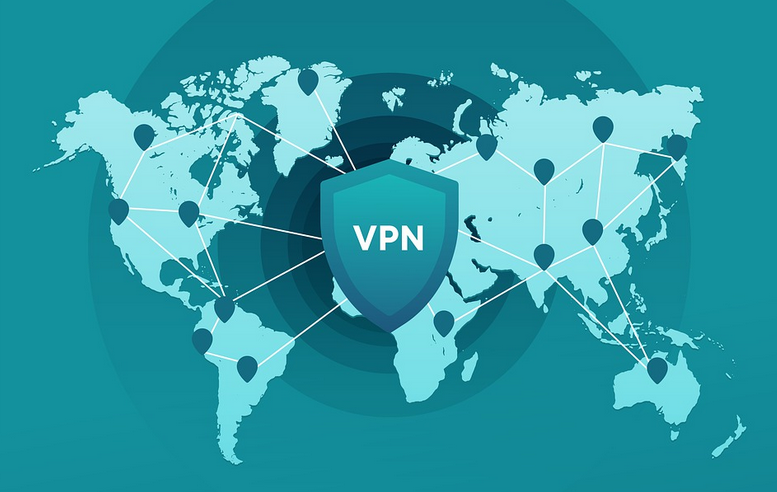
Geographical distribution is an essential consideration when choosing a VPN service provider. It can determine which country servers you want to access. You do want a VPN that can access many servers, so if some sites are not allowed in your destination, your VPN servers can scatter throughout many geographical territories.

Internet Logging

VPN secure dataThe vital purpose of a VPN will be to put security to your confidential data and history. If they are found to keep track of your account, you need to get away soon from the provider. It would be best to go with a VPN that does not keep track of your history.

 

Customer Service

Customer service is a checklist that can show the reliability of any VPN provider. Problems can appear during the process of creating a network, and you indeed need help assistance. It would be best if you requested the VPN provider to complete the process. Ensure that you choose a provider that has its service available 24/7 through telephone service, chat, email support, etc.

Rate and Speed

The last would be rate and speed elements. Do your diligence research to observe the rate and speed offered by the VPN provider. Compare and weigh your information on each program, if the network gives a free trial or money-back warranty. This way, you can decide better whether the VPN services are worth your money. Read comments and reviews to discover others’ experiences about the company service’s speed and the rates for choosing this option.

issues

Ways to Fix DLL ErrorsWays to Fix DLL Errors

PCThese errors can occur in almost all operating systems, like Windows 8 and its predecessors. As stated by https://computingforgeeks.com/what-is-dll-file-and-how-to-open/, if you are a Windows user and found an error telling you that a DLL file is missing, it is okay if you don’t know what DLL files. You need to know about DLL files. These problems are annoying, but you can take some measures to solve them. Here are some tips to help you solve these problems.

Restore Documents

Don’t do anything at first and restart your PC—the PC power button to restart it. Occasionally Mostly deleting DLL important files can make an error. If you encountered these can of issues, you must check your personal computer recycle bin to restore the files. It may take a few minutes or an hour to fix these errors because it depends on the file errors. If you link to make a correction, the error you may use the troubleshooting advice.

Scan Antivirus Applications

Sometimes an error message appears due to virus system detection on your computer files. Only the virus displays incorrect messages. One of the steps you can do is to scan your PC. Some error was due to the recent downloads change in the registry or the system; you may do a system restore.

Reinstall Files

You may use the system DLL files. If you want to try to run PC programs, you may try to reinstall the file program, and hopefully, it will solve the issues. Update your method drivers occasionally. If the problems found are “DLL missing,” you should consult the appropriate page to download and update your computer’s drivers.

Download Windows Updates

Your system may ask you to download the latest updates. You will be informed of your system tray. Try the operating system repair and reinstall the operating system. It would be best to repair the operating system with a Windows installation disk. Restoring the program installation can help to fix the problems. In this way, the hard disk partition you want to set the operating system will be rewashed.

Be sure to transfer your files to another division before reinstalling the operating system. If you were looking for a DLL document fixer, we have a recommendation here. There you can solve these problems without any problems. Portable Document Format is a computer program for transferring complete information from one system to another. This digital format allows users to receive voluminous content quickly and easily across multiple platforms. This feature makes the PDF file format compatible and portable on any platform.

iPhone

Tips and Tricks Filehosting for Apple UsersTips and Tricks Filehosting for Apple Users

It is a difficult task when you want to send documents to different relatives, friends, or acquaintances. You can send texts from a different source if you use a computer. Today, all office tasks are done with computers and programs. You can find at www.apfelpage.de/news/filehosting-anbieter-fuer-apple-anwender-im-vergleich the companies whose departments are located in different parts of the world, so to stay in touch with these companies, you need to transfer data from one place, and this could be done through the Internet and many companies and chains.

Understand How File Sharing is Transferred

The data documents that these companies transfer from one place to another are enormous, so some dedicated servers must send these huge documents. There are numerous possibilities. If you are at home and want to send small files, like a song, some photos, or a disk, you can use email for this function. However, if you’re going to send a file that is a percentage of the file size, email may not work because there is a megabyte limit for submitting a record via email. In this informational article, let’s talk about the document transfer log file to understand how file sharing is transferred.

Check Document Support and Speed

File Transfer Protocol is usually developed on the client-server and uses a different control and the connections between the host software and the server clients. File Transfer Protocol is developed on client servers; it can transfer and send files. You will find on the Web sites hosting documents with which you will send and using FTP documents, which are huge on the Internet. But before deciding on a document, it is essential to check if it is a real or routine document to get support and speed. Others were a surprise, although many of these attributes were late.

Use Safari Start Page

If you start a new card and launch Safari because it has no saved map, you’ll find a cleaner and easier to read the web page. These are your bookmarks. In its Siri engine with artificial intelligence, you can also find tips on hyperlinks from messages and web pages. In iOS 13, it has been improved to offer a range of website preferences and has been replaced by a new icon. Press and hold to enter the Player View or exit the Aa icon.

Set Website Settings for iPhone & iPad

Man

iPhone users can control a mobile site’s desktop version, while iPad users can control the mobile version of a desktop keyboard. Website settings: Use this option to select the display preferences for individual websites and grant permission to receive the camera, microphone, or location. You can easily analyze the settings of multiple sites by choosing Preferences > Safari > Website Preferences.

Bookmark Multiple Tabs at Once

This can be great if you are working on a research project or saving the profile setting when you return to that topic. This opens when you collect it. The individual tabs on your device will probably be saved for future reference when you open the folder. If you want to reopen all the tabs later, tap the bookmark icon and navigate to the folder with your tabs. Tap and hold the folder name button and select Open in new tabs to start with all the tabs. The tabs can also be closed after a day, week, or month.

Sort Safari Tabs by Title or Website

From here, you can choose to organize your cookies by name or organize the tabs on your website. You can do the same, which is specific, but you will find these options when you tap the Tabs button and rotate your iPhone. Tap and continue to see the selection. Go to the website in the Open tab. Sometimes you have numerous cards on your device, so you forget that the one you want is open. Safari lets you know when it’s free. Start looking for a website that you have with the address bar to navigate. Take advantage of this to avoid opening another tab!